The Hidden Risks of Ignoring Regular IT Maintenance
Introduction: IT May Appear to Be Working Fine—Until It Isn’t
IT Maintenance is often one of the easiest areas of business technology to overlook, especially when everything appears to be working normally.
Imagine arriving at work on Monday morning, only to discover that your company’s customer database, financial records, shared project files, and important documents are suddenly inaccessible.
Your employees cannot log in. Applications are not working. Customers are waiting for responses. Your team is scrambling to determine what happened.
Then you discover the cause: a ransomware attack exploited an outdated system that had not been properly maintained.
The immediate question becomes: Could your business recover today?
For many small and medium-sized businesses, the answer may not be as reassuring as they expect.
IT systems can continue running for months or even years without obvious problems. Computers turn on, employees access their applications, emails are sent, and business operations continue. This can create the impression that everything is fine.
But behind the scenes, outdated software, unpatched vulnerabilities, failing hardware, insufficient backups, performance issues, and other problems can quietly develop.
That is why IT maintenance should not be viewed as something businesses only need when something breaks. Regular maintenance is a proactive process designed to identify and address potential problems before they become expensive disruptions.
For businesses without a dedicated IT team, maintaining technology infrastructure can be especially challenging. Regular IT maintenance can help reduce downtime, improve security, extend the useful life of equipment, and keep employees productive.
In this article, we will explore the hidden risks of ignoring IT maintenance and what businesses can do to build a more reliable and secure IT environment.
What Is Regular IT Maintenance?
IT maintenance involves the routine monitoring, updating, securing, testing, and management of a company’s technology infrastructure.
It can include maintaining:
- Computers and laptops
- Servers and network equipment
- Business applications
- Operating systems
- Cloud environments
- Security tools
- Business email systems
- Data backup systems
- Firewalls and network security
- Mobile and remote devices
Regular IT maintenance is not simply about fixing a computer after it stops working. It is about identifying potential problems before they interrupt business operations.
For example, maintenance may involve installing security patches, monitoring network performance, checking backup systems, removing outdated software, reviewing user accounts, and identifying hardware that may be approaching the end of its useful life.
When these activities are performed consistently, businesses have a better opportunity to prevent small IT problems from becoming major business problems.
Risk #1: Unexpected IT Downtime
One of the most visible consequences of poor IT maintenance is unexpected downtime.
A server may fail. A network device may stop working. An application may crash. A computer may suddenly become unusable. Even a relatively small technical problem can affect an entire team if employees depend on the affected system.
Downtime can lead to:
- Lost productivity
- Missed deadlines
- Delayed customer responses
- Interrupted sales processes
- Operational disruptions
- Lost revenue
The problem is that downtime rarely happens at a convenient time.
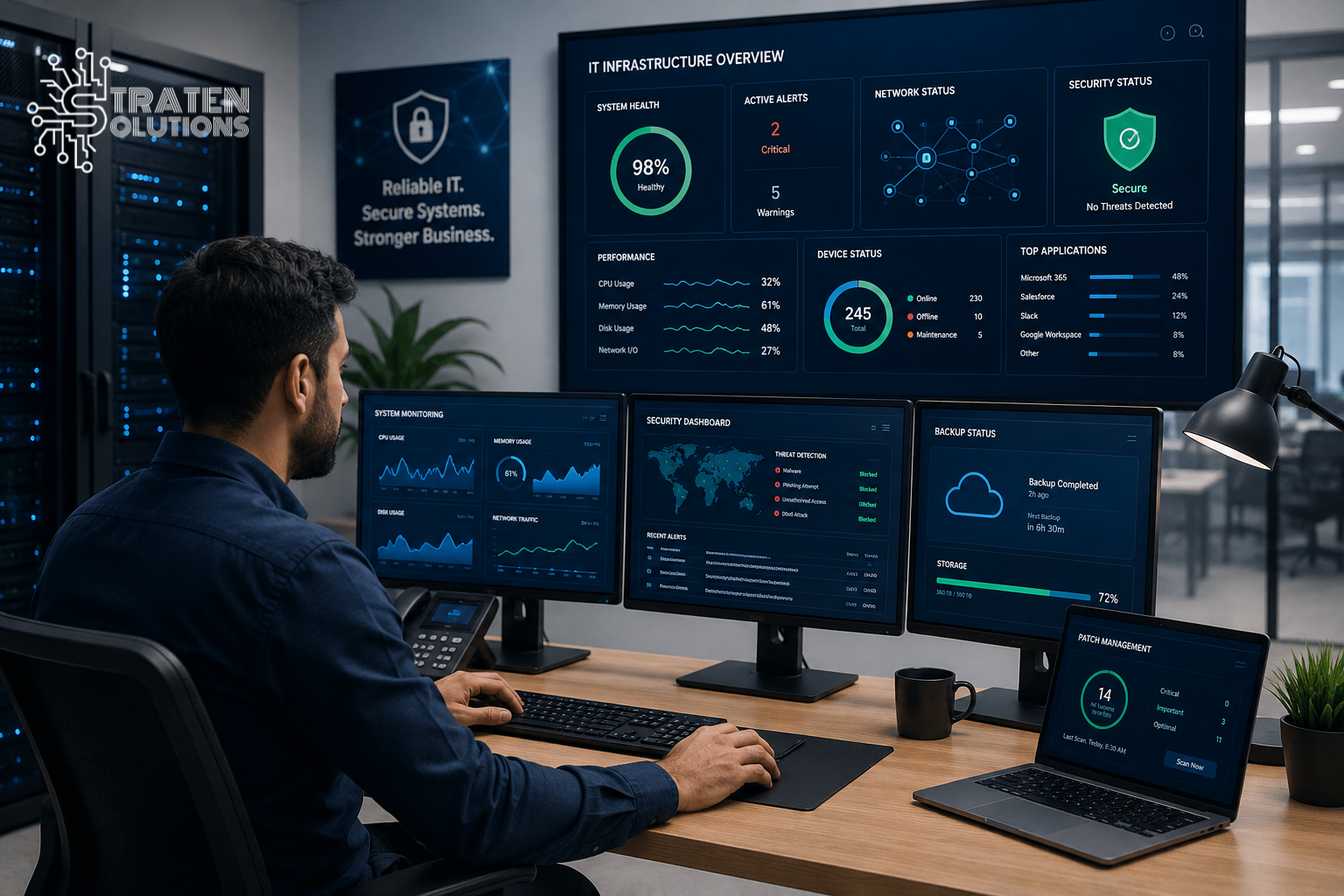
Regular IT maintenance can help identify potential points of failure before they cause an interruption. Monitoring equipment, updating systems, checking storage capacity, and addressing warning signs early can all contribute to more reliable operations.
Risk #2: Increased Cybersecurity Vulnerabilities
Cybersecurity and IT maintenance are closely connected.
When businesses fail to regularly update operating systems, applications, firmware, security tools, and other components, they may leave known vulnerabilities unaddressed.
Cybercriminals actively look for weaknesses they can exploit. An outdated system may provide an opportunity for attackers to gain unauthorized access, install malware, steal information, or disrupt operations.
The Federal Trade Commission (FTC) recommends that businesses regularly update software and back up important files as part of their cybersecurity practices.
Regular IT maintenance can include:
- Applying security patches
- Updating antivirus and endpoint protection
- Reviewing user access
- Removing inactive accounts
- Monitoring suspicious activity
- Updating network security systems
- Checking devices for vulnerabilities
However, maintenance should not be considered a replacement for a comprehensive cybersecurity strategy. Instead, it is one important component of keeping the IT environment secure.
Risk #3: Poor System Performance
Have you ever had an employee complain that their computer is “extremely slow” or that an application takes forever to open?
Performance problems are often dismissed as minor inconveniences. But when several employees experience them every day, the impact can add up quickly.
Poor performance can result from:
- Outdated hardware
- Insufficient storage
- Unnecessary applications
- Software conflicts
- Network problems
- Outdated drivers
- Poorly maintained systems
Regular IT maintenance can help identify the source of these problems and address them before they become major productivity issues.
Sometimes the solution may be as simple as removing unnecessary software or freeing up storage. In other cases, the business may need hardware upgrades or a more strategic technology replacement plan.
Risk #4: Data Loss and System Failures
Your business data may be one of your most valuable assets.
Customer information, financial records, contracts, employee files, project documents, and operational data can be extremely difficult or impossible to replace if they are lost.
Data loss can occur because of:
- Hardware failure
- Accidental deletion
- Malware or ransomware
- Software problems
- Human error
- Theft
- Physical damage
- Natural disasters
Regular IT Maintenance should therefore be supported by a reliable backup and recovery strategy . Businesses need to know not only that backups are running, but also that critical information can actually be restored when needed/when something goes wrong.
A backup that has never been tested should not automatically be considered a reliable recovery solution.
Businesses should periodically verify that important data is being backed up and that it can be backed up successfully and conduct recovery tests to identify potential problems before an actual emergency occurs.
Risk #5: Outdated Software and Hardware
Technology does not remain current forever.
Operating systems eventually reach end-of-support dates. Business applications become outdated. Hardware becomes unreliable. Security requirements change.
Continuing to use outdated technology can increase security risks and create compatibility problems and make it harder for employees to work efficiently.
For some businesses, moving certain applications or infrastructure to modern cloud solutions may be a more practical alternative to continually maintaining aging on – premises systems.
A regular IT maintenance program should include an inventory of hardware and software, so the business knows:
- What technology it owns
- How old each device is
- Which systems are approaching end of support
- Which software needs updating
- Which equipment may need replacement
This information can also help businesses plan their IT budgets instead of being forced into expensive emergency purchases.
Risk #6: Reduced Employee Productivity
Technology problems don’t just affect computers. They affect people.
If employees regularly deal with slow devices, unreliable applications, network interruptions, password problems, or recurring technical issues, they spend valuable time working around technology instead of focusing on their actual responsibilities.
For example, an employee who spends 20 minutes dealing with a recurring IT problem may not consider it a major issue. But if that happens repeatedly across a team, the lost productivity can become significant.
Effective IT maintenance helps create a smoother technology experience so employees can focus on serving customers, completing projects, and growing the business.
Risk #7: Higher IT Costs Over Time
Ignoring IT maintenance may appear to save money in the short term.
However, postponing maintenance can make problems more expensive to fix later.
A small hardware issue can become a complete equipment failure. An outdated system can require emergency replacement. A security vulnerability can develop into a serious incident. A poorly maintained network can require extensive troubleshooting.
Proactive IT maintenance helps businesses identify problems earlier, when they may be easier and less expensive to address.
It also makes IT spending more predictable because businesses can plan upgrades and replacements instead of constantly responding to emergencies.
Risk #8: Compliance and Security Problems
Depending on the industry and the type of information a company handles, businesses may have obligations regarding data protection, access controls, security practices, and record management.
Poor IT maintenance can make it harder to demonstrate that appropriate controls are in place.
For example, businesses may have outdated software, inactive user accounts, excessive permissions, or insufficient security monitoring without realizing it.
Businesses looking to strengthen their cybersecurity risk management can also use the NIST Cybersecurity Framework 2.0 Small Business Quick-Start Guide as a starting point.
Regular IT maintenance can help businesses identify these weaknesses and maintain better control over their technology environment.
If your business operates in a regulated industry, IT maintenance should be considered alongside your organization’s specific compliance requirements.
Reactive IT vs. Proactive IT Maintenance
There are two very different approaches to managing business technology.
Reactive IT
Reactive IT means dealing with problems after they occur.
The approach often looks like this:
Something breaks → Employees report it → IT investigates → The problem is fixed → Business resumes
While reactive support has its place, relying on it exclusively can leave businesses constantly responding to emergencies.
Proactive IT Maintenance
Proactive maintenance focuses on preventing problems before they occur.
The process may look more like this:
Monitor → Identify potential problem → Address it → Test → Continue monitoring
This approach gives businesses greater visibility into their IT environment and allows potential issues to be addressed before they become major disruptions.
For growing businesses, proactive IT management can be especially valuable because technology becomes increasingly important to everyday operations.
How Often Should Businesses Perform IT Maintenance?
There is no single maintenance schedule that works for every business.
The appropriate frequency depends on factors such as company size, number of devices, industry, infrastructure, applications, cybersecurity requirements, and whether employees work remotely.
However, businesses should consider establishing regular schedules for different maintenance activities:
Daily or Continuous Tasks
- System and network monitoring
- Security alerts
- Backup monitoring
- Endpoint protection
Weekly or Monthly Tasks
- Software and security updates
- Backup verification
- Device health checks
- User account reviews
- Storage and performance checks
Quarterly or Annual Tasks
- Technology assessments
- Hardware lifecycle reviews
- Security assessments
- Disaster recovery testing
- IT policy reviews
- Technology budget planning
Businesses that aren’t sure where to prioritize technology investments can also benefit from professional IT consulting . An IT consultant can evaluate the existing environment/infrastructure and help develop a technology roadmap that aligns IT investments with business goals.
The goal is consistency. IT maintenance should be an ongoing process rather than something performed only after a problem occurs.
IT Maintenance Checklist for Small Businesses
A simple maintenance checklist can help businesses stay organized.
-
- Install operating system and security updates
- Update business applications
- Monitor computers, servers, and network equipment
- Verify backups are completing successfully
- Test data recovery periodically
- Review user accounts and permissions
- Remove inactive accounts
- Check antivirus and endpoint protection
- Review hardware health and age
- Monitor storage capacity
- Review network performance
- Identify outdated or unsupported technology
- Review cybersecurity risks
- Test business continuity and recovery procedures
- Document IT issues and maintenance activities
For businesses with limited internal IT resources, keeping up with every item on this list can be difficult. That is where professional IT support can provide significant value.
When Should a Business Consider Managed IT Services?
Not every business has the resources or expertise to manage its entire IT environment internally.
If your company regularly experiences technical problems, lacks internal IT expertise, struggles to keep systems updated, or does not have time to monitor its infrastructure, it may be worth considering Managed IT Services.
A managed IT service provider can help businesses take a proactive approach to technology by monitoring systems, identifying potential problems, managing updates, addressing security concerns, and providing ongoing technical support.
Businesses may particularly benefit from managed IT support when:
- There is no dedicated internal IT team.
- Employees frequently experience technical problems.
- IT systems are becoming difficult to manage.
- Cybersecurity concerns are increasing.
- The company is growing rapidly.
- Employees work remotely or across multiple locations.
- The business needs help planning technology investments.
The goal is not simply to have someone available when something breaks. It is to create a more reliable, secure, and manageable IT environment.
Real-World IT Maintenance Scenarios
Scenario 1: The Outdated Server
A small business continues using an aging server because it still appears to be working. Over time, performance declines and the server eventually fails.
Without proper planning, the company must suddenly purchase replacement equipment and deal with unexpected downtime.
Regular IT maintenance could have identified the aging hardware and allowed the business to plan a replacement before failure occurred.
Scenario 2: The Missed Security Update
A business delays software updates because employees are busy and interruptions are inconvenient.
A known vulnerability remains unpatched, creating an unnecessary security risk.
Regular maintenance schedules could have helped ensure critical updates were applied consistently.
Scenario 3: The Backup That Was Never Tested
A company believes its critical files are protected because an automated backup system is running.
After a major system failure, the business discovers that some backups were incomplete and recovery does not work as expected.
Regular backup monitoring and recovery testing could have exposed the problem before an emergency occurred.
Frequently Asked Questions About IT Maintenance
What is IT maintenance?
IT maintenance is the ongoing process of monitoring, updating, securing, testing, and managing a company’s technology systems to keep them reliable, secure, and functional.
Why is IT maintenance important for small businesses?
Small businesses often rely heavily on technology but may not have dedicated IT staff. Regular IT maintenance can help prevent downtime, reduce security risks, improve performance, and identify technology problems before they become expensive disruptions.
How often should IT systems be maintained?
Maintenance should be continuous for certain activities such as monitoring and security alerts, while other activities can be performed weekly, monthly, quarterly, or annually depending on the business environment.
Can IT maintenance prevent cyberattacks?
IT maintenance can reduce certain cybersecurity risks by keeping systems updated, removing unnecessary access, monitoring devices, and addressing known vulnerabilities. However, maintenance should be part of a broader cybersecurity strategy.
Is IT maintenance the same as IT support?
Not exactly. IT support generally focuses on helping users resolve technical problems, while IT maintenance is more proactive and focuses on keeping systems healthy, secure, updated, and reliable before problems occur.
Should a small business outsource IT maintenance?
Businesses without dedicated IT expertise may benefit from outsourcing IT maintenance to a managed IT services provider. This can provide access to ongoing monitoring, maintenance, security support, and technical expertise without requiring a full internal IT department.
Conclusion: Don’t Wait for IT Problems to Become Business Problems
The biggest danger of ignoring regular IT maintenance is that problems can remain invisible until they become disruptive, expensive, or difficult to recover from.
Outdated systems can create security vulnerabilities. Aging hardware can fail unexpectedly. Poor system performance can reduce productivity. Unverified backups can leave businesses exposed when they need to recover critical information.
The good news is that many of these risks can be addressed through a proactive approach.
Regular IT maintenance gives businesses an opportunity to identify weaknesses, maintain technology, improve security, plan upgrades, and reduce the likelihood of unexpected disruptions. It also helps businesses move from constantly reacting to IT problems toward managing technology as a strategic business asset.
For small and medium-sized businesses without the resources for a dedicated IT department, maintaining a reliable technology environment can be challenging.
Straten Solutions’ Managed IT Services can help businesses take a more proactive approach by providing ongoing monitoring, maintenance, technical support, and IT expertise to help keep their technology infrastructure reliable and secure.
If your business is spending too much time reacting to IT problems, or you’re unsure whether your current technology environment is being properly maintained now may be the right time to take a closer look at your IT strategy.
Don’t wait for the next IT problem to become a business problem. A proactive IT maintenance strategy can help your business spend less time dealing with technology disruptions and more time focused on serving customers, supporting employees, and growing.