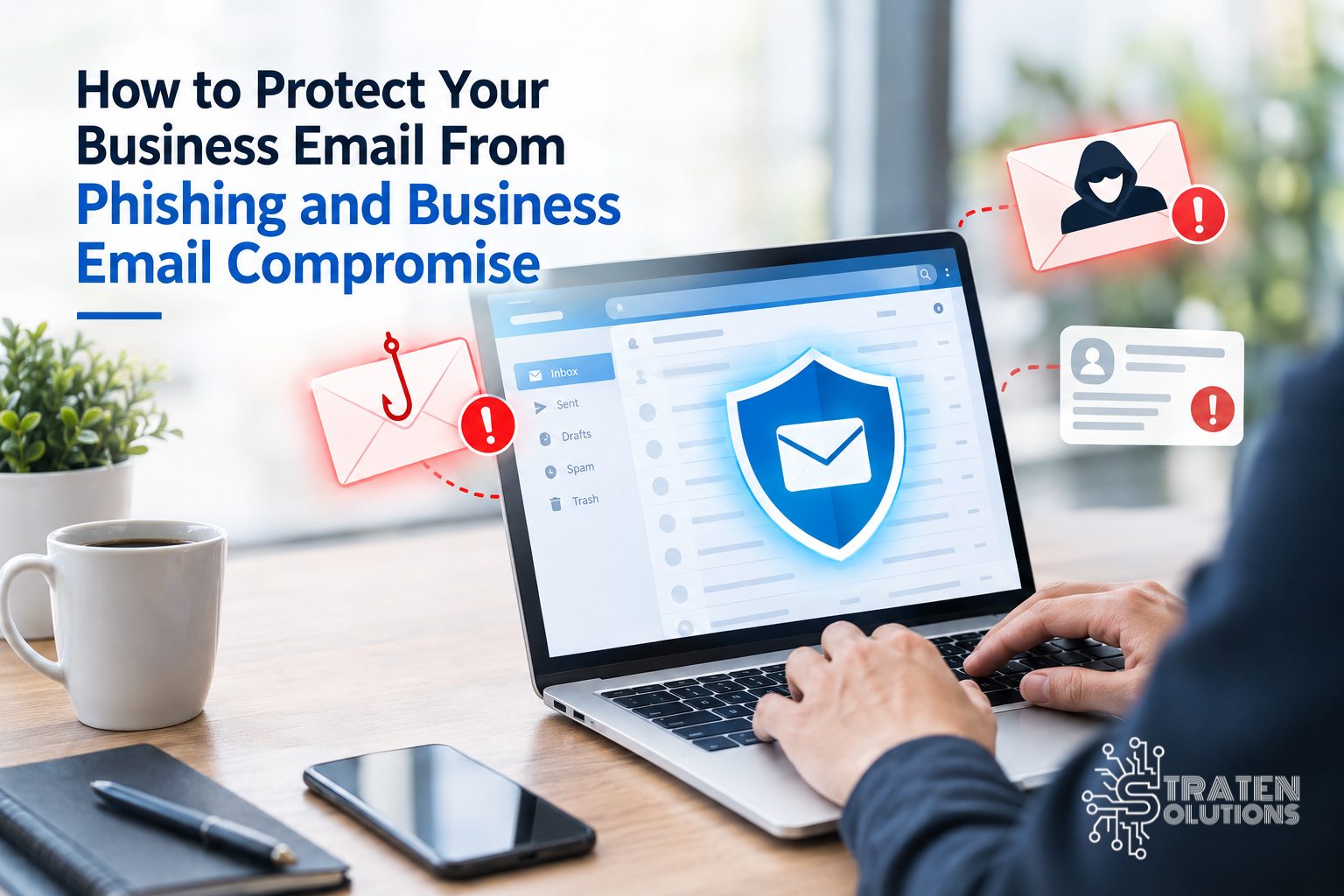
How to Protect Your Business Email From Phishing and Business Email Compromise
Introduction: One Email Could Put Your Entire Business at Risk
Imagine arriving at work on Monday morning to discover that your finance team has transferred money to a fraudulent bank account. The payment request looked legitimate, came from a familiar email conversation, and appeared to have your business partner’s approval. Unfortunately, the message was part of a business email compromise attack.
In another scenario, an employee receives an email that appears to come from Microsoft, asking them to verify their account. They click the link, enter their login details, and unknowingly hand their credentials to a cybercriminal. Within minutes, an attacker could gain access to the company’s email account, confidential documents, and conversations with customers.
These situations are not limited to large corporations. Small and medium-sized businesses (SMBs) are also attractive targets because they handle valuable information and financial transactions but may not have dedicated cybersecurity teams.
Business email is central to everyday operations. Employees use it to communicate with customers, share documents, approve payments, reset passwords, and exchange sensitive information. When attackers compromise these communications, the consequences can extend far beyond an inbox.
The good news is that businesses can reduce these risks with the right precautions. Understanding how phishing and business email compromise work is the first step toward improving business email security.
So, how can your business protect its email accounts and prevent a convincing message from becoming a costly security incident?
What Is Business Email Security?
Business email security refers to the policies, technologies, and practices used to protect company email accounts, messages, attachments, and communications from unauthorized access, fraud, and cyberattacks.
A strong business email security strategy combines technical safeguards with employee awareness. Email filtering can identify suspicious messages, while multi-factor authentication helps prevent unauthorized access even when a password has been stolen.
Other important protections include:
- Filtering spam, malicious links, and dangerous attachments.
- Using multi-factor authentication (MFA) to secure email accounts.
- Training employees to recognize phishing attempts.
- Applying security updates and monitoring suspicious account activity.
- Establishing clear procedures for approving payments and changing supplier banking details.
- Limiting access to confidential information based on job responsibilities.
No single security measure can stop every email attack. However, combining several layers of protection makes it harder for attackers to succeed and easier for businesses to identify suspicious activity before significant damage occurs.
Understanding Phishing and Business Email Compromise
Phishing and business email compromise are related threats, but they work in different ways. Understanding the distinction helps businesses choose appropriate security measures.
What Is Email Phishing?
Phishing is a cyberattack in which criminals use deceptive emails to trick recipients into revealing sensitive information, clicking malicious links, downloading harmful attachments, or sending money.
These messages often imitate trusted organizations, colleagues, suppliers, banks, or cloud service providers.
For example, an employee might receive an email claiming that their company email account will be suspended unless they sign in immediately. The message directs them to a fake login page designed to capture their username and password.
Common warning signs include:
- Unexpected requests to sign in or verify account details.
- Urgent language designed to pressure the recipient into acting quickly.
- Suspicious links or unexpected attachments.
- Unusual sender addresses or subtle spelling differences in a domain name.
- Requests for passwords, authentication codes, or confidential information.
Not every phishing email contains obvious spelling mistakes or suspicious formatting. Modern attacks can look professional and may imitate genuine business conversations.
What Is Business Email Compromise (BEC)?
Business email compromise occurs when criminals impersonate a trusted person or use a compromised email account to deceive employees into transferring money, sharing sensitive information, or taking another unauthorized action.
Unlike traditional phishing, a BEC attack may not contain a malicious link or attachment. The attacker may simply send a convincing message requesting a payment or a change to supplier banking information.
For example, a criminal could impersonate a company’s supplier and request that an upcoming invoice be paid into a different bank account. If the finance team accepts the request without independently verifying it, the money could go directly to the attacker.
BEC attacks may involve compromised accounts, lookalike email addresses, or impersonation of executives and suppliers.
The FBI explains how business email compromise scams use impersonation and deceptive payment requests to trick businesses into sending money to criminals. Businesses can review the FBI’s guidance on business email compromise scams to learn more about how these attacks work.
The key difference: Phishing often attempts to steal information or gain access, while BEC focuses on manipulating business communications to obtain money, data, or other valuable assets. The two can overlap.
Why Small Businesses Need Strong Email Protection
Email security is not just an IT concern. It is a business risk that can affect finances, productivity, customer relationships, and regulatory obligations.
Here is why it deserves attention.
1. Email Accounts Can Provide Access to Valuable Information
Business inboxes may contain contracts, customer records, invoices, employee information, password-reset messages, and confidential discussions.
If an attacker gains access to an employee’s account, they may use the information to target other employees, customers, or business partners.
2. Fraudulent Emails Can Lead to Financial Losses
A convincing payment request can trick an employee into transferring funds to a criminal’s account. Recovering the money may be difficult, particularly if the fraud is discovered after the funds have moved.
3. Compromised Accounts Can Damage Customer Trust
An attacker who gains control of a company email account could send fraudulent messages to customers and suppliers. Recipients may believe the messages are genuine because they come from a familiar address.
4. Email Attacks Can Disrupt Business Operations
A compromised account may need to be investigated, secured, and restored. Employees may temporarily lose access to important communications while the business works to contain the incident.
5. Sensitive Data May Be Exposed
Depending on the information involved and the applicable laws or contracts, a security incident may create privacy, notification, legal, or compliance obligations.
For these reasons, business email security should be part of a wider cybersecurity strategy, not something addressed only after an attack occurs.
8 Practical Ways to Protect Your Business Email From Phishing and BEC
Businesses do not necessarily need a large internal IT department to improve email security. These practical measures provide a useful starting point.
1. Enable Multi-Factor Authentication
Multi-factor authentication adds another verification step when someone signs in to an account. In addition to a password, the user may need to approve a sign-in through an authenticator app or use another supported authentication method.
This makes it harder for an attacker to access an account using a stolen password alone.
Where possible, prioritize phishing-resistant authentication methods, such as passkeys or security keys, especially for administrators and employees who handle financial or sensitive information.
Enable MFA for business email, administrative accounts, and other important business applications.
2. Train Employees to Recognize Suspicious Emails
Employees are often the first people who can identify an unusual message. Regular, practical training helps them recognize warning signs without expecting them to become cybersecurity experts.
Teach employees to question unexpected payment requests, unfamiliar attachments, urgent password-reset messages, and requests for confidential information.
Encourage them to report suspicious emails rather than simply deleting them. A reported message may help the IT team identify a wider campaign targeting multiple employees.
Employees should learn to recognize suspicious links, unexpected attachments, and messages that create pressure to act immediately. Microsoft’s guide to recognizing and reporting phishing emails provides additional practical advice.
Training should be ongoing because attackers regularly change their tactics.
3. Verify Payment Requests Independently
One of the most effective ways to reduce BEC risk is to establish a verification process for financial transactions.
If someone requests an urgent payment, a change to supplier banking details, or an unusual transfer, employees should confirm the request through a trusted, independent channel.
For example, call the supplier using a previously verified phone number rather than the number provided in the suspicious email.
Businesses should also establish approval requirements for large or unusual payments. Even if a message appears to come from a senior executive, employees should follow the same verification procedures.
4. Use Email Filtering and Anti-Phishing Protection
Email security tools can help detect spam, suspicious links, malicious attachments, and messages that imitate trusted senders.
Depending on the platform and configuration, these tools may also identify impersonation attempts and quarantine potentially dangerous messages before employees see them.
Businesses should ensure that their email protection is properly configured and maintained. Simply purchasing a security product does not guarantee that every threat will be detected.
5. Use Strong, Unique Passwords
Every business email account should have a strong, unique password that is not reused for personal accounts or other services.
A password manager can help employees generate and store secure passwords without needing to memorize each one.
If a password is exposed through a phishing attack or data breach, reusing it across multiple services could allow attackers to compromise additional accounts.
Never share passwords or authentication codes through email, and follow a secure process for resetting credentials when an account may have been compromised.
6. Check Links and Attachments Before Opening Them
Employees should be cautious when receiving unexpected files or links, even if a message appears to come from someone they know.
Before clicking a link, inspect the destination and consider whether the request makes sense in context. When in doubt, visit the organization’s official website directly rather than using a link in the email.
Unexpected attachments that request macros, additional software installation, or unusual permissions deserve particular scrutiny.
However, visual inspection alone is not enough. Some malicious links and files are difficult to recognize, which is why email filtering and endpoint protection remain important.
7. Configure Email Authentication Properly
Businesses that use their own email domain should work with their IT provider to configure three important email authentication standards:
- SPF (Sender Policy Framework): Identifies servers authorized to send email for a domain.
- DKIM (DomainKeys Identified Mail): Adds a digital signature that helps recipients verify message authenticity and integrity.
- DMARC (Domain-based Message Authentication, Reporting, and Conformance): Uses SPF and DKIM results to help receiving systems handle unauthenticated messages and provides reporting capabilities.
These controls can reduce certain forms of domain spoofing, where attackers make messages appear to come from your company’s domain.
They do not prevent every phishing or BEC attack. Criminals can still use lookalike domains or compromised legitimate accounts, so authentication must be combined with other protections.
8. Monitor Accounts and Respond Quickly to Suspicious Activity
Unusual sign-ins, unexpected email forwarding rules, unfamiliar connected applications, and messages sent without an employee’s knowledge may indicate account compromise.
Businesses should use the monitoring and security features available in their email platform to identify suspicious activity.
If an account is compromised, act quickly. Depending on the circumstances, response steps may include securing the account, revoking active sessions, resetting credentials, reviewing authentication methods, removing malicious forwarding rules, and investigating messages sent by the attacker.
If a fraudulent payment has been made, contact the bank immediately and follow the organization’s incident-response procedures.
Best Practices for Maintaining Business Email Security
In addition to the eight measures above, businesses should establish consistent processes that support long-term protection.
- Limit access: Give employees access only to the accounts and information they need for their roles.
- Keep software updated: Apply security updates to computers, browsers, email applications, and other relevant systems.
- Protect administrator accounts: Use strong authentication and restrict administrative privileges.
- Create an incident-response procedure: Make sure employees know who to contact when they suspect phishing or account compromise.
- Review email security settings: Periodically check forwarding rules, connected applications, authentication settings, and account permissions.
- Back up important business information: Maintain appropriate backups and test recovery procedures for critical data.
- Establish clear payment controls: Require independent verification and suitable approvals for financial transactions.
These practices are most effective when they are reviewed regularly and adapted as the business grows.
Frequently Asked Questions About Business Email Security
1. What is the best way to protect a business email account?
Start with multi-factor authentication, strong and unique passwords, effective email filtering, employee awareness training, and clear procedures for verifying sensitive requests. No single control is sufficient on its own.
2. How can I tell if an email is a phishing attempt?
Look for unexpected requests, unusual sender addresses, suspicious links, unexpected attachments, and pressure to act immediately. Because sophisticated phishing emails can look legitimate, verify unusual requests through a trusted channel instead of relying on appearance alone.
3. What should I do if an employee clicks a phishing link?
Ask the employee to report it immediately. If credentials were entered, secure the affected account promptly, reset exposed credentials, revoke active sessions where appropriate, and review suspicious activity. If a file was downloaded or executed, involve your IT or security provider to assess the device and contain any potential compromise.
4. Can multi-factor authentication stop every email attack?
No. MFA significantly improves account security, but it cannot prevent every attack. Criminals may exploit stolen active sessions, compromised devices, malicious applications, or social engineering. Use MFA alongside email filtering, employee training, monitoring, and secure business procedures.
5. What is the difference between phishing and business email compromise?
Phishing commonly uses deceptive messages to steal credentials, obtain information, or deliver malicious content. BEC involves impersonation or compromised email accounts to manipulate business activities, often to obtain payments or sensitive information. The techniques can overlap.
6. Do small businesses need professional email security services?
Professional support can be particularly valuable for businesses without dedicated IT or security staff. An IT provider can help configure email protection, implement authentication, monitor relevant security alerts, train employees, and respond to incidents.
7. How often should a business review its email security?
Review security settings periodically and whenever there are significant changes to staff, systems, or business processes. Also review them after suspicious activity, security incidents, or changes to the company’s risk profile.
Conclusion: Make Business Email Security a Priority
Phishing and business email compromise can affect businesses of any size. A single convincing email can expose sensitive information, disrupt operations, damage customer relationships, or lead to fraudulent payments.
Protecting your organization requires more than asking employees to be careful. Strong passwords, multi-factor authentication, email filtering, domain authentication, employee training, independent payment verification, and account monitoring all play important roles.
The most effective approach combines technology with clear procedures and a workplace culture where employees feel comfortable reporting suspicious messages.
Business email security is not a one-time setup. It requires regular reviews, ongoing awareness, and a plan for responding when something goes wrong.
Don’t wait until a fraudulent payment or compromised account puts your business at risk. If you want to strengthen your email protection and build a more secure IT environment, Straten Solutions can help you identify security gaps and implement IT security solutions tailored to your business needs.
Visit Straten Solutions IT Security to learn how your business can take practical steps toward better protection.