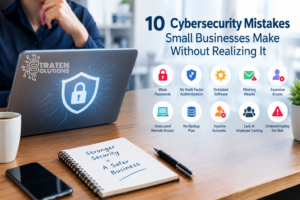
10 Cybersecurity Mistakes Small Businesses Make Without Realizing It
Imagine arriving at work on Monday morning only to discover that employees cannot access their email, important files are missing, and someone has gained unauthorized access to your business accounts.
At first, you might assume it is a technical problem that your IT provider can quickly fix. Then you discover something much more serious: an employee clicked a convincing phishing email, a password was stolen, and the attacker has been inside your systems for days.
The uncomfortable truth is that many small businesses do not get hacked because they have no security measures at all. They get hacked because of small gaps that are easy to overlook.
A reused password. An employee with too much access. An outdated computer. A software update that was postponed. A backup that was never tested.
These seemingly minor issues can create significant security risks.
Understanding the most common cybersecurity mistakes for small businesses is an important first step toward protecting your data, employees, customers, and operations. The good news is that many of these mistakes can be corrected with practical changes to how your business manages technology and security.
Why Cybersecurity Matters for Small Businesses
Cybersecurity is sometimes viewed as a concern primarily for large corporations, financial institutions, or government organizations. But small and medium-sized businesses are also attractive targets.
Small businesses often hold valuable information, including:
- Customer and employee information
- Financial records
- Business emails
- Login credentials
- Payment information
- Intellectual property
- Contracts and business documents
- Access to cloud applications and systems
At the same time, many SMBs operate without a dedicated internal security team. This can make it difficult to identify vulnerabilities before they become serious problems.
The challenge is not necessarily that business owners are ignoring cybersecurity. Often, they simply do not realize that everyday technology habits can create security risks.
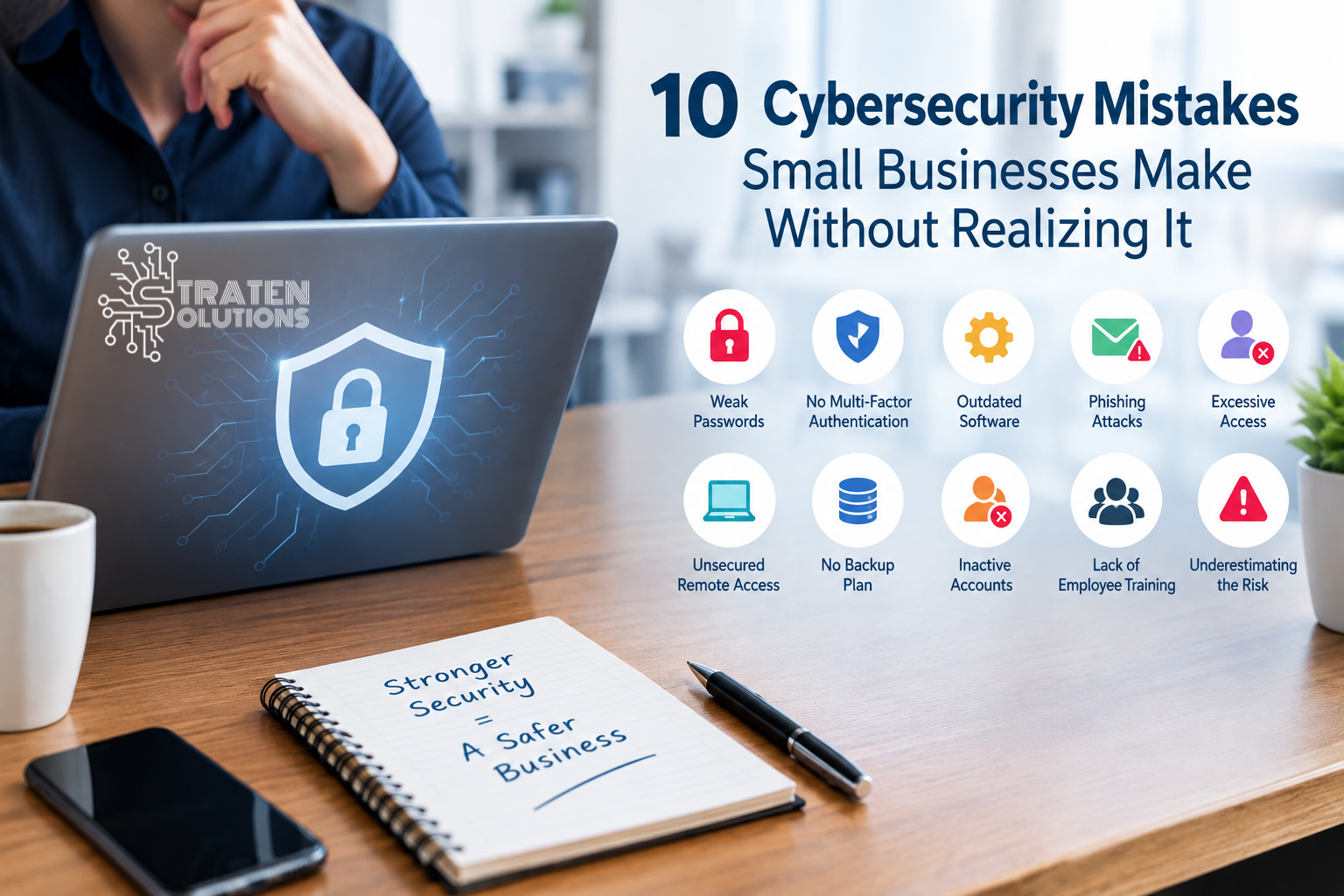
Here are 10 cybersecurity mistakes for small businesses that are worth reviewing.
1. Using Weak or Reused Passwords
One of the simplest cybersecurity mistakes is also one of the most common: using passwords that are easy to guess or reusing the same password across multiple accounts.
If an employee uses the same password for their business email, cloud storage, and another online service, one compromised account could potentially put several business systems at risk.
How to reduce the risk
Businesses should establish clear password requirements and encourage employees to use unique passwords for important accounts.
Consider:
- Using long, unique passwords
- Using a reputable password manager
- Avoiding shared passwords whenever possible
- Changing compromised passwords immediately
- Using multi-factor authentication on important accounts
A strong password is useful, but it should not be your only layer of protection.
2. Not Using Multi-Factor Authentication
A password alone may not be enough to protect a business account.
Multi-factor authentication (MFA) adds another verification step when someone attempts to sign in. Depending on the system, this might involve an authentication app, security key, or another verification method.
Even if an attacker obtains an employee’s password, MFA can make it significantly harder for them to access the account.
Where should businesses use MFA?
Start with accounts that could cause significant damage if compromised, such as:
- Business email
- Microsoft 365 or Google Workspace
- Banking and financial accounts
- Remote access systems
- Cloud applications
- Administrative accounts
MFA should be treated as a basic security control rather than an optional extra.
3. Ignoring Software and Security Updates
Those update notifications that employees routinely postpone can represent an important security issue.
Software vendors regularly release updates that fix vulnerabilities. When businesses delay critical updates, attackers may have more opportunity to exploit known weaknesses.
This applies to more than computers. Businesses should consider updates for:
- Operating systems
- Applications
- Network equipment
- Firewalls
- Mobile devices
- Servers
- Cloud-connected systems
A better approach
Businesses should establish a process for monitoring and applying updates rather than relying on employees to remember them.
Where appropriate, automate updates and establish procedures for testing and deploying critical patches.
4. Assuming Employees Will Recognize Every Phishing Email
Phishing attacks have become increasingly convincing.
An email may appear to come from a manager, customer, supplier, financial institution, or familiar service. It may ask an employee to open a document, click a link, provide login information, or make a payment.
One of the most dangerous cybersecurity mistakes for small businesses is assuming employees will always recognize these messages.
How businesses can respond
Employees should receive regular cybersecurity awareness training that teaches them how to identify suspicious messages.
Encourage employees to pause when an email:
- Creates a sense of urgency
- Requests confidential information
- Contains an unexpected attachment
- Requests a financial transaction
- Contains a suspicious link
- Appears unusual even though the sender seems familiar
The goal is not to make employees cybersecurity experts. It is to help them recognize when something does not look right.
5. Giving Employees More Access Than They Need
Not every employee needs access to every file, application, or administrative function.
When users have excessive permissions, a compromised account can potentially provide an attacker with access to far more information than necessary.
This is particularly concerning when an employee has administrative privileges that are not required for their normal responsibilities.
Follow the principle of least privilege
Employees should generally have access only to the information and systems required to perform their jobs.
Businesses should periodically review:
- User permissions
- Administrative accounts
- Shared folders
- Cloud applications
- Former employee accounts
- Third-party access
When an employee changes roles or leaves the company, their access should be updated or removed promptly.
6. Failing to Secure Remote and Mobile Access
Remote work has made it possible for employees to work from home, while traveling, or from other locations. However, convenient access can create additional security challenges.
Employees may connect using personal devices, unsecured networks, or devices that have not received appropriate security updates.
Businesses should establish clear requirements for remote access.
These may include:
- Using company-managed devices where appropriate
- Enabling MFA
- Keeping devices updated
- Using secure remote access solutions
- Protecting devices with strong passwords or PINs
- Encrypting sensitive information
- Having procedures for lost or stolen devices
Remote work does not have to create unnecessary security risks, but it does require thoughtful security policies.
7. Neglecting Backups and Recovery Planning
Cybersecurity is not only about preventing an attack. Businesses also need to prepare for what happens if prevention fails.
Ransomware, hardware failures, accidental deletion, system corruption, and other incidents can make important business information unavailable.
A common mistake is assuming that having a backup automatically means the business is protected.
It does not.
Backups need to be reliable, protected from unauthorized access, and tested regularly.
Businesses should ask:
- What information is being backed up?
- How frequently are backups performed?
- Where are the backups stored?
- Are backup copies protected from ransomware?
- How quickly can data be restored?
- When was the last successful recovery test?
A backup strategy should be part of a broader disaster recovery and business continuity plan.
8. Forgetting About Former Employees and Old Accounts
An employee leaving the company does not automatically mean their digital access disappears.
Former employees may still have access to email accounts, cloud applications, shared files, or other systems if their accounts are not properly disabled.
This is an easily overlooked security gap.
Create an employee offboarding process
When someone leaves the organization, businesses should have a documented process for:
- Disabling accounts
- Revoking remote access
- Removing application permissions
- Recovering company devices
- Changing shared credentials when necessary
- Transferring ownership of important files
- Reviewing access to sensitive information
The process should be consistent every time an employee leaves.
9. Treating Cybersecurity as an IT Problem Instead of a Business Responsibility
Another common mistake is assuming that cybersecurity belongs entirely to the IT department or technology provider.
Technology is certainly an important part of security, but employees and business leaders also play critical roles.
For example, an employee decides whether to click a suspicious link. A manager may approve a financial transaction. A business owner decides how much attention and budget should be given to security.
Cybersecurity therefore needs support from the entire organization.
Build a security-minded culture
Business leaders can help by:
- Providing regular security training
- Creating clear security policies
- Encouraging employees to report suspicious activity
- Taking reported incidents seriously
- Reviewing security practices regularly
- Making cybersecurity part of business planning
Employees should feel comfortable reporting a mistake quickly. A fast report can sometimes help prevent a small mistake from becoming a major incident.
10. Assuming “It Won’t Happen to Us”
Perhaps the most dangerous of all cybersecurity mistakes for small businesses is believing that the company is too small to be targeted.
Cybercriminals do not necessarily need to know how large your company is before attempting an attack. Automated tools can scan for vulnerable systems, stolen credentials can be reused, and phishing campaigns can target thousands of businesses simultaneously.
The better question is not:
“Why would anyone target my business?”
It is:
“If someone did target my business tomorrow, how prepared would we be?”
That change in mindset can lead to better security decisions.
How to Avoid These Cybersecurity Mistakes
Businesses do not need to fix everything overnight. A practical approach is to identify the most important weaknesses first and work through them systematically.
Businesses can also use the NIST Cybersecurity Framework 2.0 Small Business Quick-Start Guide as a practical starting point for identifying and managing cybersecurity risks.
Start with these steps:
1. Review Your Current Security
Identify what protections you already have and where gaps exist.
Review passwords, MFA, backups, software updates, employee access, remote access, and security policies.
2. Prioritize Your Most Important Systems
Determine which systems would cause the greatest damage if compromised.
For many businesses, this could include email, financial systems, customer databases, cloud applications, and critical business files.
3. Train Your Employees
Security awareness should not be a one-time presentation. Provide regular training and keep employees informed about common threats.
4. Review Access Regularly
Make sure employees have the access they actually need and remove unnecessary permissions.
5. Protect and Test Your Backups
Do not simply assume your backups work. Test restoration procedures regularly so you know what would happen during an actual incident.
6. Have a Response Plan
Your business should know what to do if an employee account is compromised, ransomware is discovered, or sensitive information is exposed.
Knowing who to contact and what steps to take can reduce confusion during a stressful incident.
Best Practices for Small Business Cybersecurity
In addition to addressing the mistakes above, businesses should build several basic security practices into their everyday operations.
Use layered security
There is no single tool that can prevent every cyberattack. Use multiple layers of protection, including MFA, endpoint security, email protection, backups, access controls, employee training, and monitoring.
Keep systems updated
Establish a consistent patching process and address critical security updates promptly.
Monitor important accounts
Pay attention to unusual login activity, unexpected password changes, and other signs that an account may have been compromised.
Protect sensitive information
Limit access to confidential data and use appropriate encryption and security controls.
Review security regularly
Cybersecurity is not a “set it and forget it” activity. Technology, employees, threats, and business operations change over time.
A periodic security assessment can help identify problems before attackers do.
Frequently Asked Questions About Cybersecurity Mistakes for Small Businesses
What is the biggest cybersecurity mistake small businesses make?
There is no single mistake responsible for every incident. However, weak or reused passwords, lack of MFA, outdated systems, inadequate employee training, and poor backup practices are common areas of concern.
Does a small business really need cybersecurity?
Yes. Small businesses rely heavily on email, cloud applications, financial systems, customer information, and other technology. Protecting those systems is an important part of protecting the business itself.
How often should employees receive cybersecurity training?
Cybersecurity awareness should be ongoing rather than limited to a single annual session. Regular reminders and training can help employees recognize evolving threats such as phishing and social engineering.
Is antivirus software enough to protect a small business?
No. Antivirus or endpoint protection is one layer of security, but it cannot address every risk. Businesses should combine endpoint protection with MFA, secure backups, employee training, access controls, patch management, and other security measures.
What should a business do after an employee clicks a suspicious link?
Do not ignore it. The employee should report the incident immediately. Depending on what happened, the business may need to disconnect the affected device, reset credentials, review account activity, and investigate whether any information was accessed.
How can a small business improve cybersecurity without a large IT budget?
Start with high-impact fundamentals such as MFA, strong unique passwords, timely updates, employee training, secure backups, appropriate access controls, and a documented response plan. Businesses can then address additional risks based on their specific environment.
How often should a business review its cybersecurity?
At minimum, businesses should review their security practices regularly and whenever there are significant changes to employees, technology, applications, or business operations. A formal security assessment can also help identify gaps that may otherwise be overlooked.
Conclusion
The biggest cybersecurity mistakes for small businesses are not always obvious.
A reused password may seem harmless until an attacker uses it to access business email. A postponed software update may seem insignificant until a known vulnerability is exploited. An inactive employee account may appear unimportant until someone uses it to access company information.
Cybersecurity is ultimately about reducing these opportunities for attackers.
Businesses should take a layered approach that includes strong authentication, employee awareness, software updates, appropriate access controls, secure backups, monitoring, and a plan for responding to incidents.
You do not have to eliminate every cybersecurity risk to improve your security. You need to understand where your biggest risks are and take practical steps to reduce them.
Don’t wait until a cyberattack exposes a weakness to discover that your business was not prepared. If you want to strengthen your cybersecurity strategy and identify potential gaps before they become serious problems, Straten Solutions can help you implement practical security solutions tailored to your business needs.