How to Choose the Right Managed IT Service Provider for Your Business
Your employees are dealing with recurring computer problems. Your network occasionally goes down. Cybersecurity alerts are increasing, and whenever something breaks, everyone has the same question:
Who is responsible for fixing it?
For a growing business, technology problems rarely stay confined to the IT department. A failed server can stop employees from working. A cybersecurity incident can expose sensitive information. Poorly managed cloud systems can disrupt productivity, while outdated hardware can slow down everyday operations.
This is why many businesses turn to managed IT services.
But choosing an IT provider is not simply about finding the company with the lowest monthly price. The right provider should understand your business, protect your technology, respond when problems occur, and help you make smarter IT decisions as your company grows.
So, how do you choose the right managed IT service provider for your business?
Let’s look at what you should consider before making that decision.
What Is a Managed IT Service Provider?
A managed IT service provider (MSP) is a company that manages some or all of a business’s technology infrastructure and IT needs on an ongoing basis.
Instead of waiting until something breaks and calling an IT technician, businesses using managed IT services typically have a provider monitoring, maintaining, securing, and supporting their technology continuously.
Depending on the provider and service agreement, managed IT services may include:
- Proactive network and system monitoring
- Help desk and technical support
- Cybersecurity
- Cloud management
- Backup and disaster recovery
- Software and hardware management
- Network management
- IT consulting and strategic planning
- Employee technology support
- Business communications and VoIP
This proactive approach can help businesses identify potential problems before they become expensive disruptions.
For companies without a dedicated IT team, an MSP can effectively become an extension of the business’s internal resources.
Why Choosing the Right MSP Matters
Not all IT providers operate the same way.
One provider may simply respond when an employee reports a problem. Another may continuously monitor your systems, identify vulnerabilities, manage security, maintain backups, and provide recommendations for improving your technology.
The difference can have a significant impact on your business.
The right managed IT services provider can help you:
- Reduce unexpected downtime
- Improve employee productivity
- Strengthen cybersecurity
- Protect important business data
- Manage technology costs
- Support remote and hybrid employees
- Keep systems and software properly maintained
- Plan technology investments
- Scale IT as your business grows
The wrong provider, however, can leave you with slow support, unclear costs, unresolved problems, and security gaps.
The goal isn’t simply to find someone who can fix computers. You’re looking for a technology partner that can support your business.
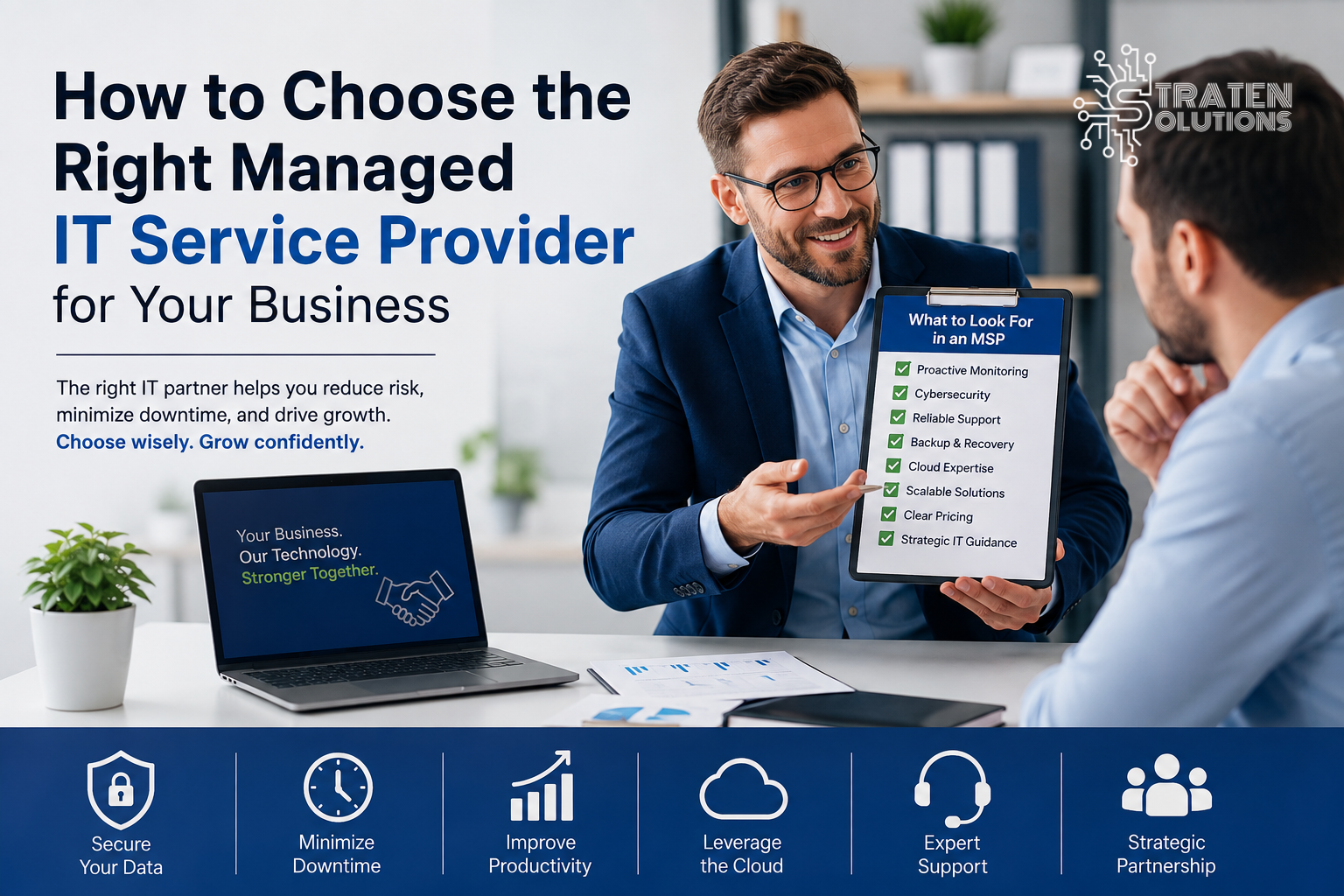
10 Things to Look for in a Managed IT Service Provider
Choosing an MSP can feel overwhelming, especially if you’re not an IT expert. These ten factors can help you compare providers more effectively.
1. Proactive IT Monitoring and Management
One of the biggest advantages of managed IT services is being proactive.
Ask potential providers how they monitor your systems and networks.
A good MSP shouldn’t wait for your employees to discover every problem. Continuous monitoring can help identify issues such as system failures, unusual activity, performance problems, or potential security concerns before they cause significant disruption.
Ask:
“How do you identify and address IT problems before they affect our employees?”
The answer can tell you a lot about how the provider operates.
2. Strong Cybersecurity Capabilities
IT support and cybersecurity should work together.
Your provider should be able to help protect your business against common threats through IT Security services, appropriate security controls, and ongoing monitoring.
Businesses can also review the FTC’s cybersecurity guidance for small businesses for practical recommendations on protecting networks, data, employees, and connected systems.
Ask whether their managed IT services include or support:
- Endpoint protection
- Email security
- Multi-factor authentication
- Network security
- Security monitoring
- Vulnerability assessments
- Employee security awareness
- Incident response
Cybersecurity shouldn’t be treated as an optional add-on after something goes wrong.
3. Reliable Backup and Disaster Recovery
Imagine losing access to your customer records, financial information, project files, or other critical data.
Having a backup is important, but businesses also need to know whether they can actually recover when something goes wrong.
Ask your potential MSP:
- How frequently is data backed up?
- Where are backups stored?
- How are backups protected from ransomware?
- Are backups regularly tested?
- How quickly can critical systems be restored?
A provider should be able to explain its backup and recovery approach in language you can understand.
4. Cloud Expertise
Cloud technology is now an important part of many businesses’ operations.
Whether your company uses Microsoft 365, cloud applications, cloud storage, or remote-access solutions, your MSP should understand how to manage and secure these environments.
Ask about their experience with:
- Cloud migration
- Microsoft 365
- Cloud security
- Remote work
- Cloud backup
- User access management
A good provider should help you determine which cloud solutions actually make sense for your business, rather than recommending technology simply because it is popular.
5. Fast and Reliable IT Support
Problems will still happen, even with proactive management.
When they do, you need to know how quickly your provider will respond.
Ask about:
- Help desk availability
- Emergency support
- Response times
- Remote support
- On-site support
- Escalation procedures
Pay attention to the provider’s service-level agreement (SLA) and make sure you understand what its response commitments actually mean.
6. Clear Pricing and Service Agreements
Price matters, but value matters more.
Before signing an agreement, make sure you understand exactly what you’re paying for.
Ask:
- What services are included?
- What services cost extra?
- Are there setup fees?
- Are hardware and software included?
- Are after-hours services included?
- What are the contract terms?
- How are additional users or devices billed?
Avoid agreements that leave you guessing about what your monthly bill will look like.
7. Scalability
Your IT provider should be able to grow with your business.
If you add employees, open another location, adopt new software, or move more workloads to the cloud, your technology requirements will change.
Ask potential providers:
“How will your managed IT services adapt as our business grows?
A good MSP should be thinking about your future—not just today’s technical problems.
8. Experience With Similar Businesses
Every business has different technology requirements.
A healthcare organization, accounting firm, construction company, and professional services business may have very different applications, workflows, security requirements, and compliance considerations.
Look for an MSP that understands businesses with similar needs and can demonstrate relevant experience.
9. Strategic IT Consulting
Your MSP shouldn’t only answer:
“What broke?”
They should also help answer:
“What should we do next?”
Strategic IT consulting can help businesses plan for:
- Technology upgrades
- IT budgets
- Cybersecurity improvements
- Cloud adoption
- Infrastructure changes
- Business growth
- Disaster recovery
- Long-term technology goals
This transforms IT from a recurring expense into a strategic business resource.
10. Communication and Client Service
Technology can be complicated. Your IT provider shouldn’t make it more complicated by using unnecessary technical jargon.
Look for a provider that:
- Communicates clearly
- Responds promptly
- Explains recommendations
- Provides useful reporting
- Understands your business objectives
- Keeps you informed about important issues
You should feel comfortable asking questions and receiving straightforward answers.
Questions to Ask Before Hiring an MSP
Before signing a managed IT services agreement, consider asking potential providers:
1. What services are included in your monthly fee?
2. How quickly do you respond to critical IT problems?
3. How do you proactively monitor our systems?
4. What cybersecurity protections do you provide?
5. How do you manage backups and disaster recovery?
6. Can you support our cloud and Microsoft 365 environment?
7. How do you handle IT emergencies?
8. Can your services scale as our company grows?
9. Will we have a dedicated point of contact?
10. How do you help clients plan their long-term IT strategy?
Don’t be afraid to ask for specific examples. A reputable provider should be able to explain how it has helped businesses solve similar problems.
Red Flags to Watch Out for When Choosing an MSP
Knowing what to look for is important but knowing what to avoid is equally valuable.
Be cautious if a provider:
- Focuses entirely on fixing problems after they occur
- Cannot clearly explain its pricing
- Has vague service agreements
- Provides limited cybersecurity support
- Cannot explain its backup and recovery strategy
- Is consistently difficult to reach
- Uses excessive technical jargon without explaining the issue
- Doesn’t ask about your business goals
- Offers a one-size-fits-all solution
- Makes recommendations without explaining the business benefit
If a provider is difficult to communicate with before you become a customer, that may not improve after you sign a contract.
Managed IT Services Should Be About More Than Fixing Problems
A common misconception is that managed IT services simply mean having someone to call when a computer stops working.
That is only part of the picture.
The best managed IT services are designed around prevention, protection, support, and planning.
Instead of constantly reacting to technical problems, businesses can take a more structured approach:
Monitor → Identify → Prevent → Protect → Support → Improve
This can help your employees spend less time dealing with technology problems and more time focusing on their actual responsibilities.
More importantly, your IT provider should understand that technology exists to support your business goals.
The question shouldn’t simply be, “Is our network working?”
It should also be:
“Is our technology helping our business operate securely, efficiently, and effectively?”
Real-World Scenarios: Why the Right MSP Matters
Consider a growing company whose employees regularly experience slow computers and network problems.
Without proactive management, employees report each problem individually. IT support fixes the immediate issue, and everyone moves on—until it happens again.
A managed IT services provider could identify the underlying cause, monitor system performance, recommend improvements, and address recurring issues before they continue affecting productivity.
Now consider another scenario.
An employee accidentally clicks a malicious email link. Without appropriate security controls, the incident could expose company accounts or sensitive information.
With layered cybersecurity protections, monitoring, employee awareness training, and appropriate response procedures, the business may be better positioned to detect and contain the threat.
These examples illustrate why the quality and scope of your IT provider matter.
Best Practices When Choosing Managed IT Services
Before making your final decision, follow these best practices:
Define Your IT Needs First
Create a list of your current challenges and future requirements.
Consider your:
- Number of employees
- Devices
- Applications
- Network infrastructure
- Cloud services
- Security requirements
- Backup needs
- Remote workers
Compare More Than Price
Obtain proposals from multiple providers and compare what each actually offers.
A lower monthly fee isn’t necessarily cheaper if the provider delivers limited support or leaves important services uncovered.
Read the Agreement Carefully
Understand the SLA, contract length, cancellation terms, included services, additional fees, and support availability.
Evaluate the Provider’s Approach
Ask whether the provider focuses primarily on reacting to problems or proactively managing your environment.
Think Long-Term
Choose a provider that can support your business not only today but also as your technology and workforce evolve.
Final Checklist: Choosing the Right MSP
Before hiring a managed IT service provider, make sure you can check the following:
-
- Proactive IT monitoring
- Reliable technical support
- Strong cybersecurity capabilities
- Backup and disaster recovery
- Cloud expertise
- Clear pricing
- Transparent service agreements
- Scalable solutions
- Strategic IT consulting
- Clear communication
- Experience with businesses like yours
If a provider checks these boxes and demonstrates a genuine understanding of your business, you’re much more likely to have a productive long-term relationship.
Frequently Asked Questions About Managed IT Services
What are managed IT services?
Managed IT services are ongoing technology management and support provided by an external IT company. Services can include monitoring, technical support, cybersecurity, cloud management, backup and recovery, and IT consulting.
Is managed IT support worth it for a small business?
It can be, particularly for businesses that don’t have a dedicated internal IT team. Managed IT services can provide access to technical expertise, proactive monitoring, security support, and strategic guidance without requiring a business to build a large internal IT department.
How much do managed IT services cost?
The cost varies depending on factors such as the number of users and devices, services required, cybersecurity needs, infrastructure, and level of support. Businesses should compare the **scope and value of services**, rather than choosing a provider based solely on price.
What is the difference between an MSP and traditional IT support?
Traditional IT support may primarily respond when problems occur. Managed IT services generally take a more proactive approach by continuously monitoring, maintaining, securing, and supporting a company’s technology environment.
Can an MSP support cybersecurity as well as IT?
Yes. Many managed IT providers offer cybersecurity services or integrate security into their managed IT services. Businesses should ask specifically what security protections and monitoring are included in their agreement.
Can managed IT services support remote employees?
Yes. A capable MSP can help manage and secure remote employees through cloud services, secure access, device management, collaboration tools, cybersecurity controls, and technical support.
What should I ask before https://www.canva.com/ an MSP contract?
Ask about included services, response times, cybersecurity, backup and recovery, cloud support, pricing, contract terms, scalability, emergency support, and how the provider will help you plan your long-term IT strategy.
Conclusion
Choosing a managed IT service provider is ultimately a business decision, not just a technology decision.
The right provider should do more than fix computers when something goes wrong. They should help your business reduce risk, minimize downtime, protect its data, support employees, manage technology, and prepare for future growth.
Before choosing an MSP, look beyond the monthly price. Evaluate the provider’s cybersecurity capabilities, support model, backup strategy, cloud expertise, communication, scalability, and ability to understand your business objectives.
At Straten Solutions, we help businesses take the complexity out of IT with Managed IT Services, IT Security, Cloud Solutions, Backup & Recovery, VoIP, and IT Consulting tailored to their needs. Our goal is to help businesses manage technology effectively so they can focus on what they do best—running and growing their business.
Ready to take IT off your shoulders? Contact Straten Solutions to discuss how we can support your business.