
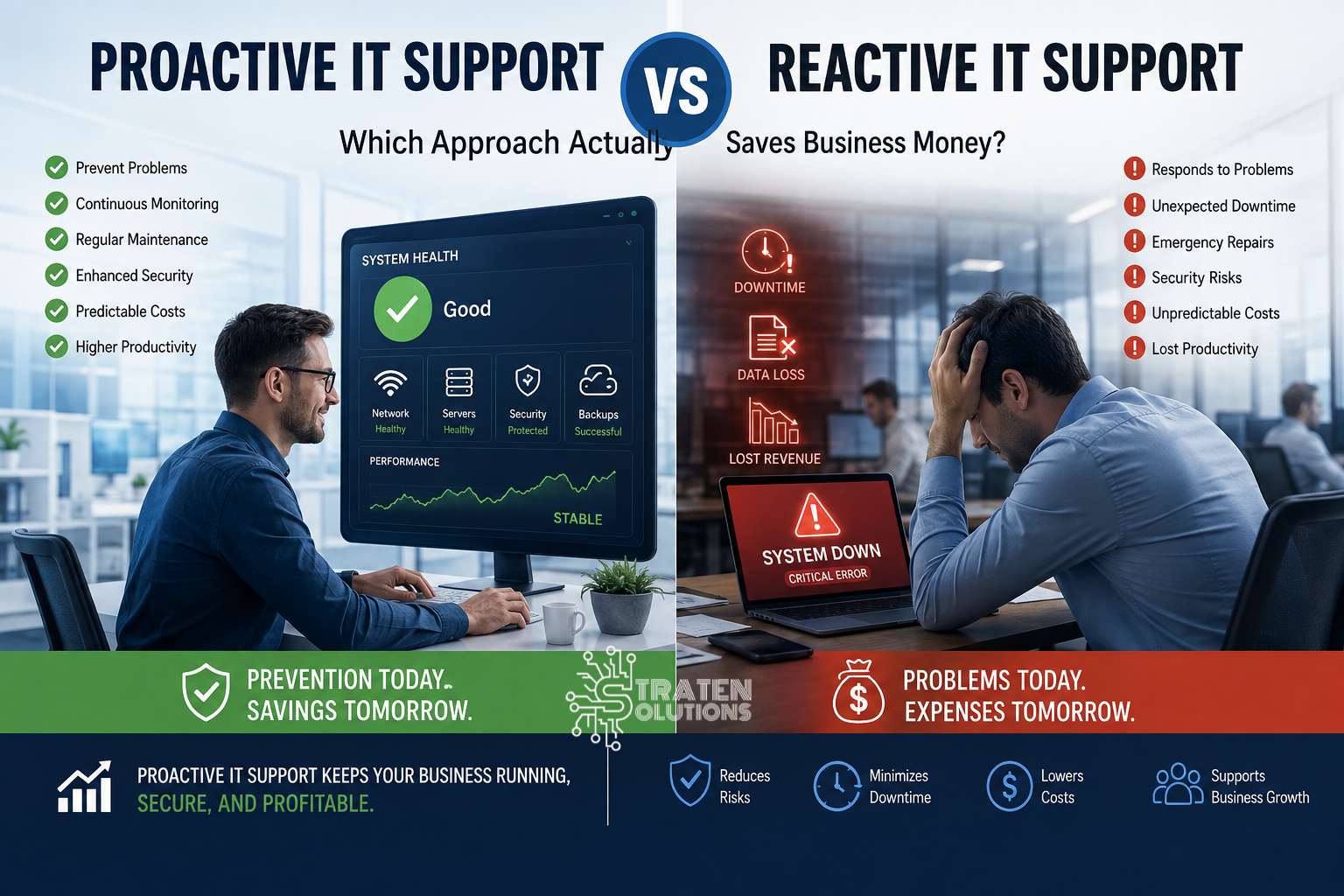
Proactive IT Support Vs. Reactive IT: Which Approach Actually Saves Businesses Money?
The Real Cost of Waiting for IT Problems
Imagine arriving at work on Monday morning only to discover that your company’s customer database, financial records, and project files have disappeared after a ransomware attack.
Your employees cannot access critical systems. Customers are waiting for responses. Your sales team cannot retrieve important records. Your operations team is trying to figure out what happened, and suddenly everyone is asking the same question:
Can we recover our business today?
For many small and medium-sized businesses, the answer depends on how their IT was managed before the problem occurred.
Technology problems are inevitable. Computers fail. Networks experience disruptions. Software develops vulnerabilities. Employees make mistakes. Cyberattacks happen. The difference is how prepared your business is when those problems arise.
This is where proactive IT support and reactive IT support differ.
Reactive IT focuses on fixing problems after they happen. Proactive IT support focuses on identifying and preventing problems before they disrupt the business.
At first, reactive IT may seem cheaper because you only pay for assistance when something goes wrong. But when downtime, lost productivity, emergency repairs, data recovery, and security incidents are included, the actual cost can be much higher.
So, which approach saves businesses more money?
For most businesses that depend on technology every day, proactive IT is the more cost-effective long-term strategy.

What Is Proactive IT Support?
Proactive IT support is an approach to technology management focused on preventing IT problems rather than waiting for them to happen.
Instead of waiting for an employee to report that a computer has stopped working or a server has gone offline, proactive IT teams continuously monitor systems, identify potential problems, and address them before they become major disruptions.
Think of it like maintaining a business vehicle. You don’t wait until the engine fails in the middle of an important delivery before changing the oil or checking the brakes. Regular maintenance helps identify problems while they are still manageable.
Proactive IT works the same way.
What Does Proactive IT Support Include?
A proactive IT strategy can include:
- Continuous IT monitoring: Monitoring systems, networks, and devices for unusual activity or performance issues.
- Preventive maintenance: Performing routine checks and maintenance to keep technology reliable.
- Software and security updates: Keeping operating systems and applications updated to address bugs and security vulnerabilities.
- Vulnerability identification: Finding weaknesses before attackers or system failures can exploit them.
- Network monitoring: Watching network performance and identifying potential connectivity problems.
- Performance monitoring: Tracking system performance to identify slowdowns and capacity issues.
- Regular system checks: Reviewing devices, servers, applications, and infrastructure regularly.
- Backup monitoring: Making sure backups are running properly and that critical business data can be recovered when needed.
- Security monitoring: Looking for suspicious activity and potential security threats.
The goal is simple: find and resolve small problems before they become expensive business problems.
What Is Reactive IT Support?
Reactive IT support takes a different approach.
Often called the break-fix model, reactive IT means a business waits until something goes wrong before contacting IT support.
The process usually looks like this:
- An IT problem occurs.
- An employee reports the problem.
- IT investigates the issue.
- Repairs or troubleshooting begin.
- The business waits for the system to be restored.
- Normal operations resume.
For example, an employee’s computer crashes, so the company contacts IT. Or the network goes down, so someone calls for emergency support.
Reactive IT isn’t inherently useless. Businesses will always encounter unexpected problems, and some issues will require immediate troubleshooting. The problem occurs when **reactive support is the company’s primary IT strategy**.
When businesses consistently wait until technology breaks before addressing it, relatively small problems can become expensive disruptions.
Proactive IT vs. Reactive IT: What’s the Difference?
The biggest difference is timing.
**Proactive IT support tries to prevent problems. Reactive IT responds after problems occur.**
| Proactive IT | Reactive IT |
|---|---|
| Prevents problems | Responds to problems |
| Continuous monitoring | Problem-based support |
| Planned maintenance | Emergency repairs |
| More predictable IT costs/td> | Unexpected costs |
| Focuses on reducing downtime | Responds to downtime |
| Identifies vulnerabilities early | Addresses vulnerabilities after discovery/td> |
| Long-term approach | Short-term approach |
For a growing business, the proactive approach provides greater visibility into the company’s technology environment.
Instead of constantly asking, “What just broke?”, business leaders can focus on questions such as, “What could go wrong, and what can we do about it now?”
The Hidden Costs of Reactive IT
One of the biggest mistakes businesses make when comparing IT strategies is looking only at the cost of an IT repair.
A $300 repair may not sound expensive.
But what if the employee couldn’t work for an entire day? What if five other employees depended on that system? What if customers couldn’t place orders? What if the problem caused data loss?
Suddenly, the actual cost is much larger.
Employee Downtime
When employees can’t access the systems they need, they can’t perform their jobs effectively.
Even a short outage can affect multiple departments simultaneously.
Lost Productivity
Employees may spend hours waiting for systems to be restored, troubleshooting problems themselves, or finding temporary workarounds.
Lost Sales
If your systems support sales, payments, customer service, or order processing, an outage can directly affect revenue.
Emergency IT Costs
Unexpected failures often require urgent support, replacement hardware, or after-hours troubleshooting.
Data Loss and Recovery
A system failure or security incident can result in lost or inaccessible data. Recovering that information can be far more complicated than preventing the problem in the first place.
Cybersecurity incidents are another reason businesses are moving toward more proactive IT strategies. Verizon’s 2026 Data Breach Investigations Report continues to emphasize the importance of visibility, disciplined patch management, and practiced response plans as organizations work to reduce cyber risk.
Customer Dissatisfaction
Customers don’t necessarily care why your systems are unavailable. They care that they cannot get the service they expected.
Reputation Damage
Repeated technology problems can make a business appear unreliable, especially when customers experience disruptions directly.
The cost of an IT problem isn’t just what you pay someone to fix it. It’s everything your business loses while the problem exists.
How Proactive IT Can Save Businesses Money
Proactive IT support requires an investment, but that investment can help businesses avoid much larger costs.
1. Prevent Major System Failures
Regular monitoring and maintenance can identify warning signs before a system completely fails.
2. Reduce Downtime
The sooner potential problems are identified, the less likely they are to become major interruptions.
3. Detect Security Threats Earlier
Security monitoring can help identify suspicious activity and vulnerabilities before they develop into serious incidents. Businesses can also use established cybersecurity frameworks to identify, protect against, detect, respond to, and recover from cybersecurity risks. NIST’s Cybersecurity Framework 2.0 provides guidance specifically designed to help small and medium-sized businesses manage cybersecurity risk.
4. Extend Hardware Lifespan
Regular maintenance and performance monitoring can help businesses identify when equipment needs attention or replacement.
5. Reduce Emergency Repairs
Planned maintenance is generally easier to budget for than unexpected emergency repairs.
6. Improve Employee Productivity
Reliable technology means employees spend less time dealing with IT problems and more time doing their actual jobs.
7. Reduce the Risk of Data Loss
Proactive backup monitoring helps businesses identify failed or incomplete backups before they are needed.
8. Make IT Costs More Predictable
Rather than constantly dealing with unexpected technology expenses, businesses can plan their IT investments more strategically.
Proactive IT vs. Reactive IT: A Cost Comparison
The financial difference becomes clearer when you look at what each approach requires.
Reactive IT Costs Can Include:
- Emergency repairs
- Employee downtime
- Lost productivity
- Data recovery
- Hardware replacement
- Security incident response
- Lost sales
- Customer disruption
Proactive IT Costs Can Include:
- IT monitoring
- Preventive maintenance
- Security tools
- Software updates
- Backup monitoring
- Network management
- Managed IT services
- Technology planning
Proactive IT isn’t about eliminating every IT expense. That’s unrealistic.
Instead, it’s about turning unpredictable problems into manageable, planned IT investments.
A business may spend money maintaining its systems today to avoid spending considerably more recovering from a failure tomorrow.
7 Ways Businesses Can Become More Proactive With IT
You don’t have to transform your entire IT environment overnight. Start with these practical steps.
1. Monitor Your Network and Systems
Don’t wait for employees to tell you something is wrong. Continuous monitoring can identify performance and availability problems earlier.
2. Keep Software and Operating Systems Updated
Delayed updates can leave systems exposed to known security vulnerabilities and compatibility problems. Regularly updating and patching software is also a fundamental cybersecurity practice recommended by the National Institute of Standards and Technology (NIST).
3. Schedule Regular Maintenance/h3>
Create a routine for reviewing computers, servers, networks, applications, and other critical infrastructure.
4. Monitor Your Backups
Having a backup isn’t enough. Businesses should know that backups are completing successfully and that important data can actually be recovered. NIST recommends regularly backing up business data and protecting backups as part of a broader cybersecurity strategy.
5. Strengthen Cybersecurity
Use appropriate security controls, employee awareness training, access controls, authentication measures, and monitoring to reduce unnecessary exposure. The Federal Trade Commission’s cybersecurity guidance for small businesses also recommends practices such as keeping software updated, backing up important data, using strong authentication, and training employees to recognize common attacks.
6. Replace Aging Equipment Before It Fails
Old hardware doesn’t always need immediate replacement, but businesses should monitor aging equipment and plan upgrades before failures cause disruption.
7. Work With a Proactive Managed IT Provider
Businesses without dedicated IT teams can work with a managed service provider to handle monitoring, maintenance, security, backups, troubleshooting, and technology planning.
Is Proactive IT Worth It for Small Businesses?
Absolutely—but especially when technology is essential to daily operations.
Small businesses may actually have more to gain from proactive IT because they often have fewer resources available to absorb extended downtime.
Proactive IT can be particularly valuable for businesses that:
- Don’t have a full-time IT department
- Depend heavily on technology
- Have remote or hybrid employees
- Handle sensitive customer or business data
- Cannot afford prolonged downtime
- Experience recurring IT problems
- Are rapidly expanding
- Need predictable technology costs
For a small business, one significant IT failure can affect a large portion of the organization.
Proactive IT support helps reduce that exposure.
How Managed IT Services Support a Proactive IT Strategy
Managed IT services are built around the idea that IT should be actively managed rather than addressed only when something breaks.
A managed service provider can help businesses with:
- Continuous infrastructure monitoring
- Preventive maintenance
- Help desk support
- Security management
- Backup monitoring
- Network management
- Patch management
- Device and system monitoring
- Technology planning
- Proactive issue resolution
This approach allows business owners and managers to spend less time worrying about whether their technology will work tomorrow and more time focusing on running the business.
For companies without a dedicated IT team, a managed IT provider can effectively become an extension of the organization.
Real-World Examples: Proactive vs. Reactive IT
Consider two businesses with similar technology environments.
Business A: Reactive IT
An employee reports that the company’s server is running slowly. The issue is ignored because employees can still access their files.
Several weeks later, the server fails completely.
Now the business needs emergency support, replacement hardware, data recovery, and potentially hours or days of downtime.
Business B: Proactive IT
The company’s IT environment is continuously monitored. A performance issue is detected before the server fails.
The problem is investigated and corrected during scheduled maintenance.
Employees may never even realize there was an issue.
The difference isn’t simply technical.
Business A paid for the failure. Business B invested in preventing the failure.
Frequently Asked Questions About Proactive IT Support
Is proactive IT more expensive than reactive IT?
Proactive IT involves an ongoing investment, while reactive IT may appear less expensive initially. However, reactive support can result in unpredictable costs from downtime, emergency repairs, data recovery, and lost productivity.
What is the difference between proactive IT and managed IT services?
Proactive IT is an approach to managing technology, while managed IT services are a service model that can deliver that approach. Many managed service providers use continuous monitoring, maintenance, security management, and preventive support to proactively manage a client’s IT environment.
Can small businesses benefit from proactive IT support?
Yes. Small businesses often have limited resources and may be particularly vulnerable to the financial impact of downtime, data loss, and security incidents. Proactive support can help reduce these risks.
Does proactive IT prevent every technology problem?
No. Technology problems cannot be eliminated completely. The goal of proactive IT support is to reduce the likelihood and impact of problems by identifying risks early and preparing the business to respond effectively.
When should a business switch from reactive to proactive IT?
If your business experiences recurring IT problems, unexpected downtime, security concerns, aging technology, or unpredictable IT expenses, it may be time to consider a proactive approach.
Proactive vs. Reactive IT: Which Approach Actually Saves Businesses Money?
The answer comes down to a simple principle: prevention is usually less disruptive and more predictable than recovery.
Reactive IT has its place. When something unexpectedly fails, businesses need someone who can diagnose and fix the problem quickly.
But relying on reactive support for every IT issue can leave businesses paying for the consequences of problems that could have been detected or prevented earlier.
Proactive IT support takes a different approach. It focuses on monitoring, maintenance, security, backups, and planning so that potential problems can be addressed before they become expensive business disruptions.
For business owners and decision-makers, the question isn’t simply, “How much does IT support cost?”
A better question is:
“How much could an avoidable IT problem cost my business?”
Conclusion: Don’t Wait for Technology to Fail
Your business depends on technology every day. Waiting until something breaks before addressing it may seem like the simplest approach, but the real cost can extend far beyond the repair bill.
From lost productivity and downtime to data loss and customer dissatisfaction, reactive IT can create expenses that are difficult to predict.
A proactive strategy helps businesses identify problems earlier, strengthen security, maintain reliable systems, and plan technology investments more effectively.
At Straten Solutions, we help businesses move from reactive IT support toward a proactive approach designed to keep technology reliable, secure, and aligned with business goals.
Is your business spending more time fixing IT problems than preventing them? Contact Straten Solutions to explore a proactive IT strategy that can help reduce downtime, improve security, and keep your business moving forward.